What is Adobe Firefly?
Adobe Firefly is a powerful AI-powered design tool that allows users to generate and edit images, videos, and other visual content. It's a game-changer for creatives and non-creatives alike, making it easy to create stunning visuals without extensive design experience.
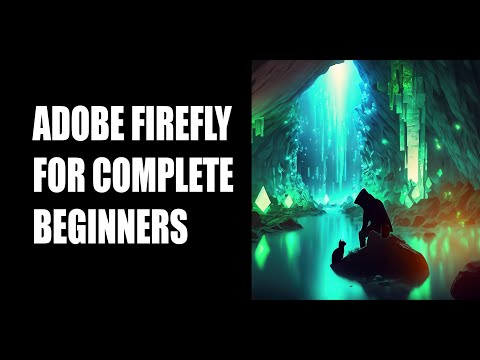
Whether you're a graphic designer, artist, or simply someone who wants to create professional-looking visuals for personal projects, Adobe Firefly is worth exploring. In this article, we'll cover the basics of Adobe Firefly and show you how to generate a world and add characters using Generative Fill.
Getting Started with Adobe Firefly
To get started with Adobe Firefly, you'll need to sign up for an Adobe account and download the app. Once you've installed the app, you can start exploring its features and capabilities. Adobe Firefly offers a range of tools and features, including Generative Fill, which allows you to generate and edit images and videos with ease.
One of the best things about Adobe Firefly is its user-friendly interface. Even if you have no prior design experience, you can easily navigate the app and start creating stunning visuals. Adobe Firefly also offers a range of tutorials and resources to help you get started and improve your skills.
Generating a World with Adobe Firefly
One of the most exciting features of Adobe Firefly is its ability to generate and edit images and videos. With Generative Fill, you can create stunning visuals in just a few clicks. To get started, simply select the 'Generative Fill' tool and choose the type of image or video you want to create. Adobe Firefly will then use its AI-powered algorithms to generate a stunning visual that you can customize and edit to your heart's content.
One of the key benefits of Adobe Firefly is its ability to save you time and effort. With Generative Fill, you can create professional-looking visuals in just a few minutes, without the need for extensive design experience. This makes it an ideal tool for creatives and non-creatives alike, whether you're working on a personal project or a commercial campaign.
Adding Characters to Your World with Adobe Firefly
Once you've generated a world with Adobe Firefly, you can add characters and other elements to bring your visual to life. With Generative Fill, you can create stunning characters and objects that are tailored to your specific needs. Simply select the 'Generative Fill' tool and choose the type of character or object you want to create. Adobe Firefly will then use its AI-powered algorithms to generate a stunning visual that you can customize and edit to your heart's content.
One of the key benefits of Adobe Firefly is its ability to save you time and effort. With Generative Fill, you can create professional-looking visuals in just a few minutes, without the need for extensive design experience. This makes it an ideal tool for creatives and non-creatives alike, whether you're working on a personal project or a commercial campaign.
Conclusion
Adobe Firefly is a powerful AI-powered design tool that allows users to generate and edit images, videos, and other visual content. With its user-friendly interface and range of features and tools, Adobe Firefly is an ideal tool for creatives and non-creatives alike. Whether you're working on a personal project or a commercial campaign, Adobe Firefly can help you create stunning visuals in just a few minutes. So why not give it a try and see what you can create with Adobe Firefly?